
At a glance: the 6 best desk accessories
| # | Accessory | What it does | Best for | Price | Rating | |
|---|---|---|---|---|---|---|
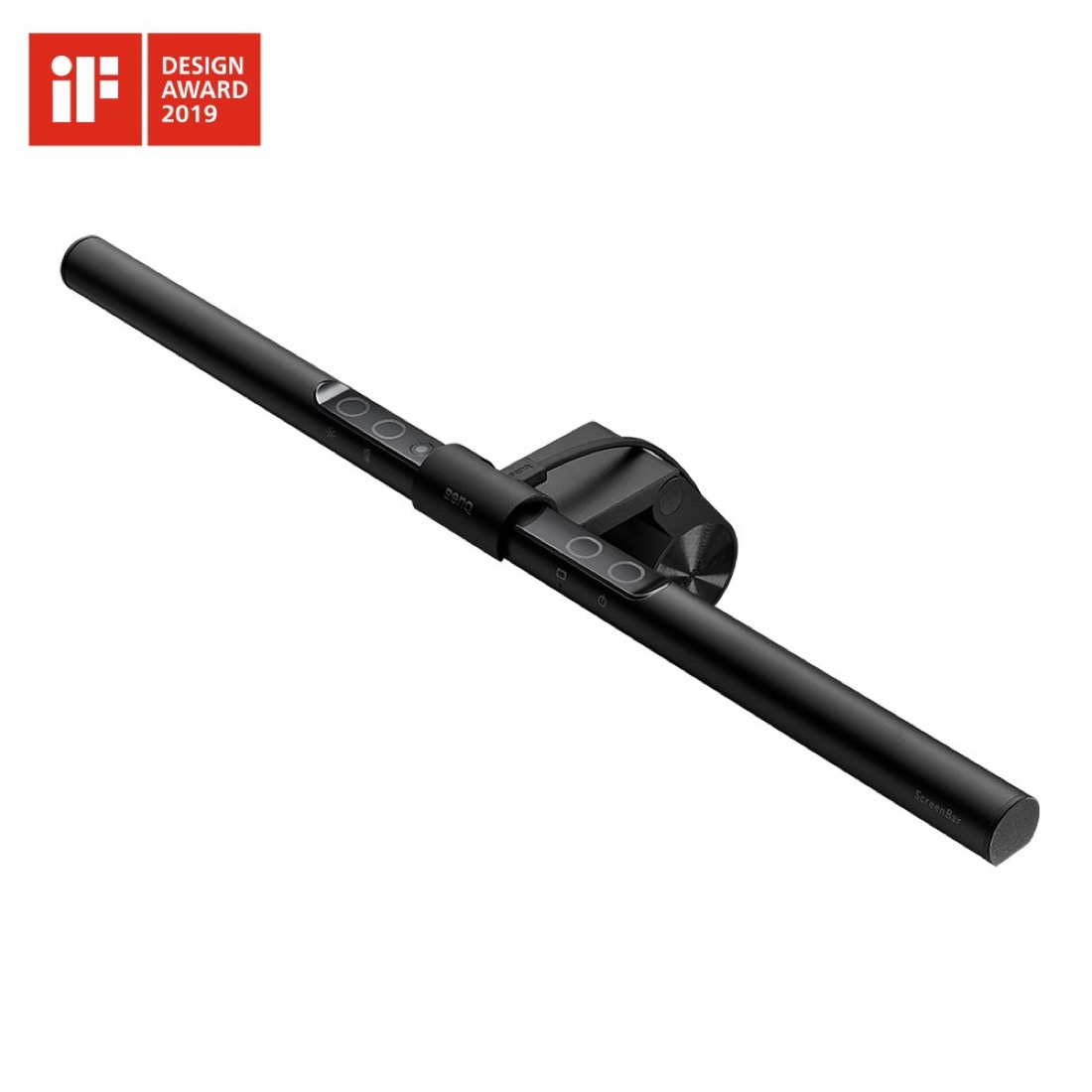
| 1 | BenQ ScreenBar | Glare-free desk lighting | Editor's choice | $$$ | ★★★★★ 4.8 | Check price |
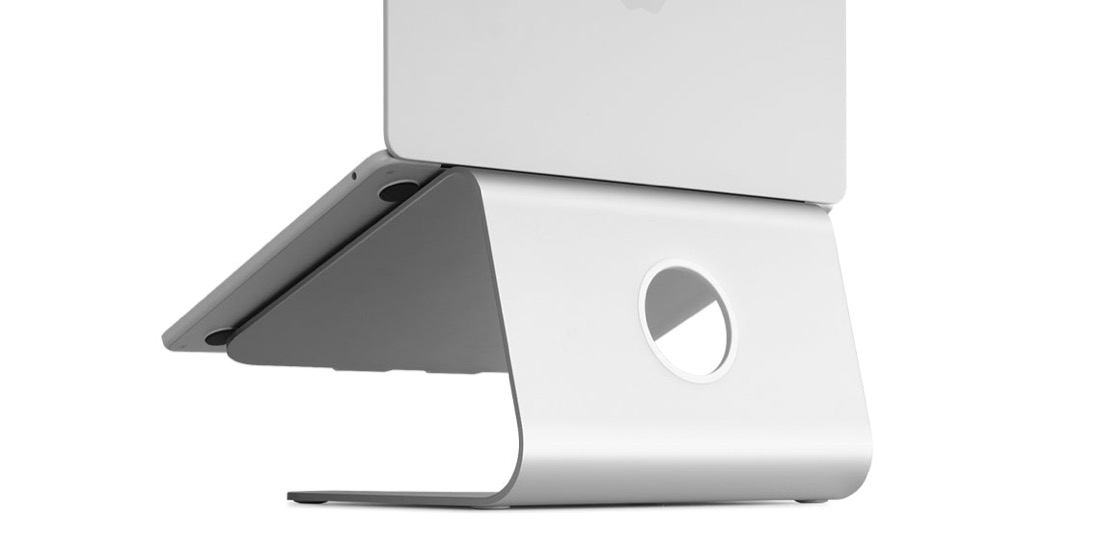
| 2 | Rain Design mStand | Raises laptop to eye level | Laptop users | $$ | ★★★★★ 4.7 | Check price |
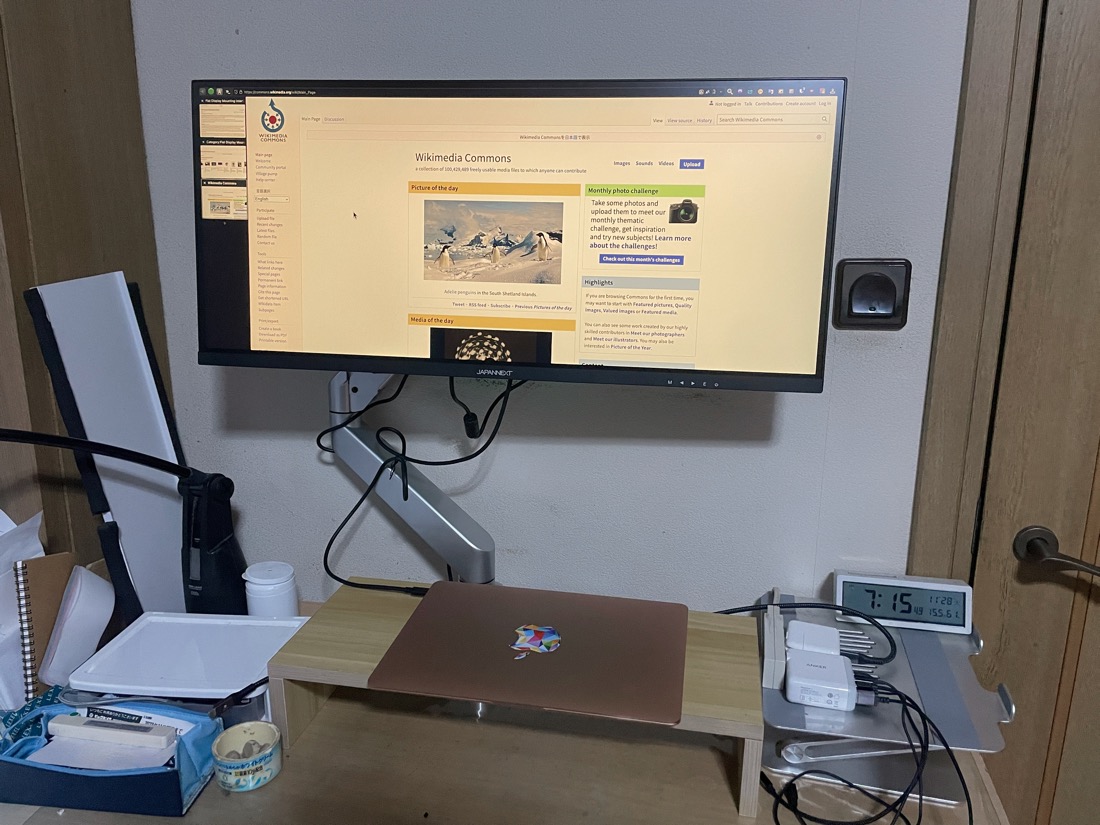
| 3 | VESA Monitor Arm | Floats screen, frees desk | Posture & space | $$$ | ★★★★½ 4.6 | Check price |
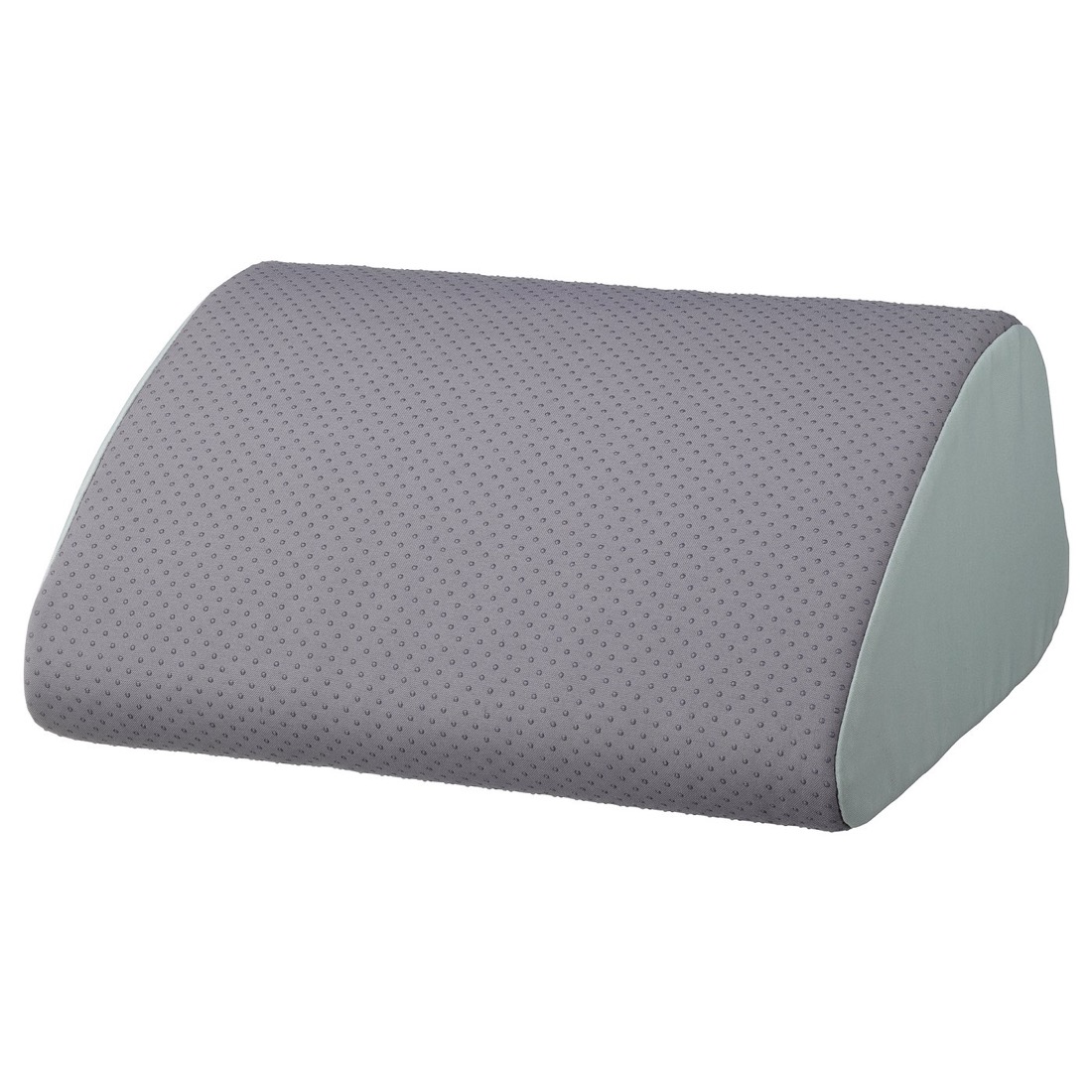
| 4 | Ergonomic Footrest | Supports legs, aids circulation | Comfort | $ | ★★★★ 4.4 | Check price |
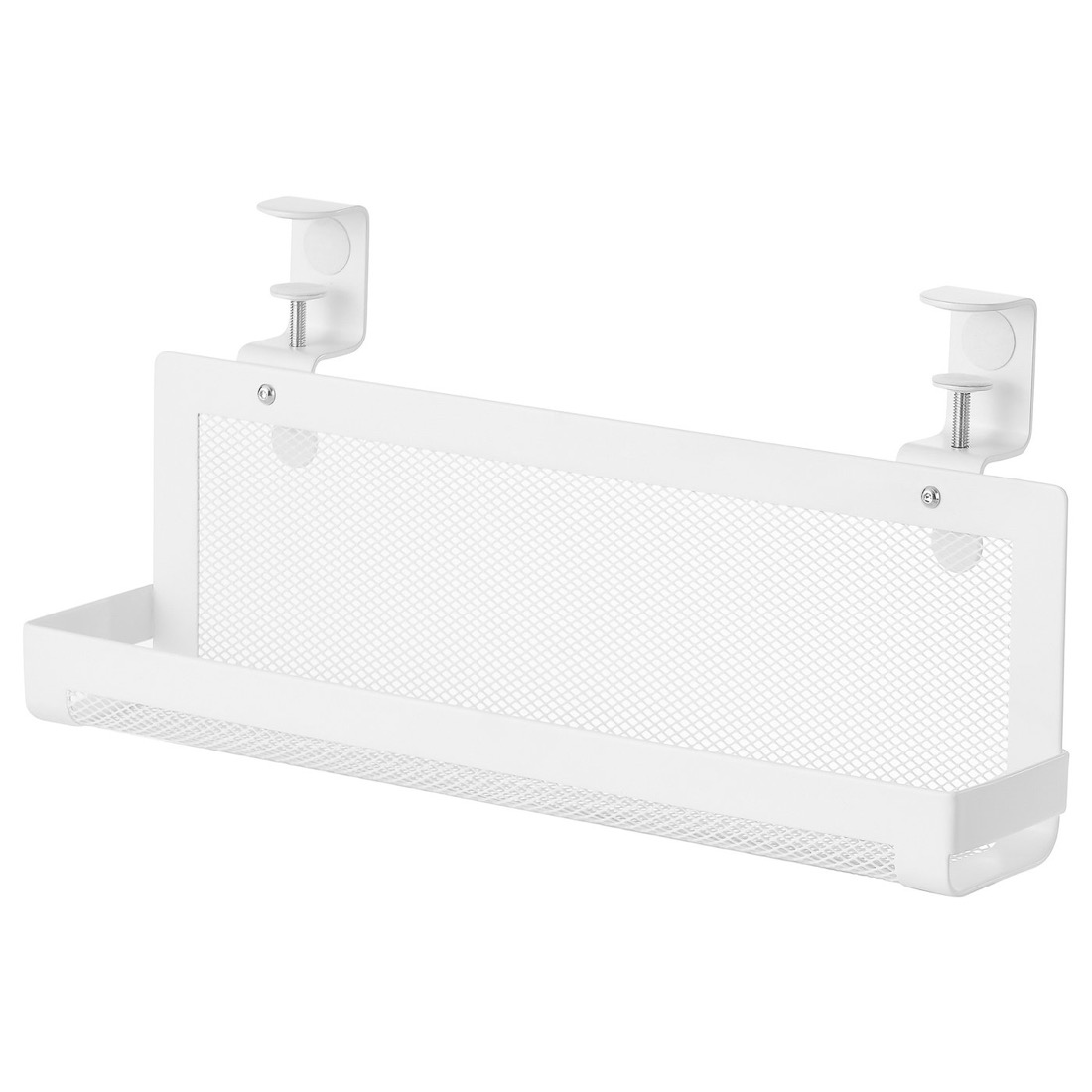
| 5 | Cable Management Tray | Hides wires under the desk | Tidy setup | $ | ★★★★½ 4.5 | Check price |
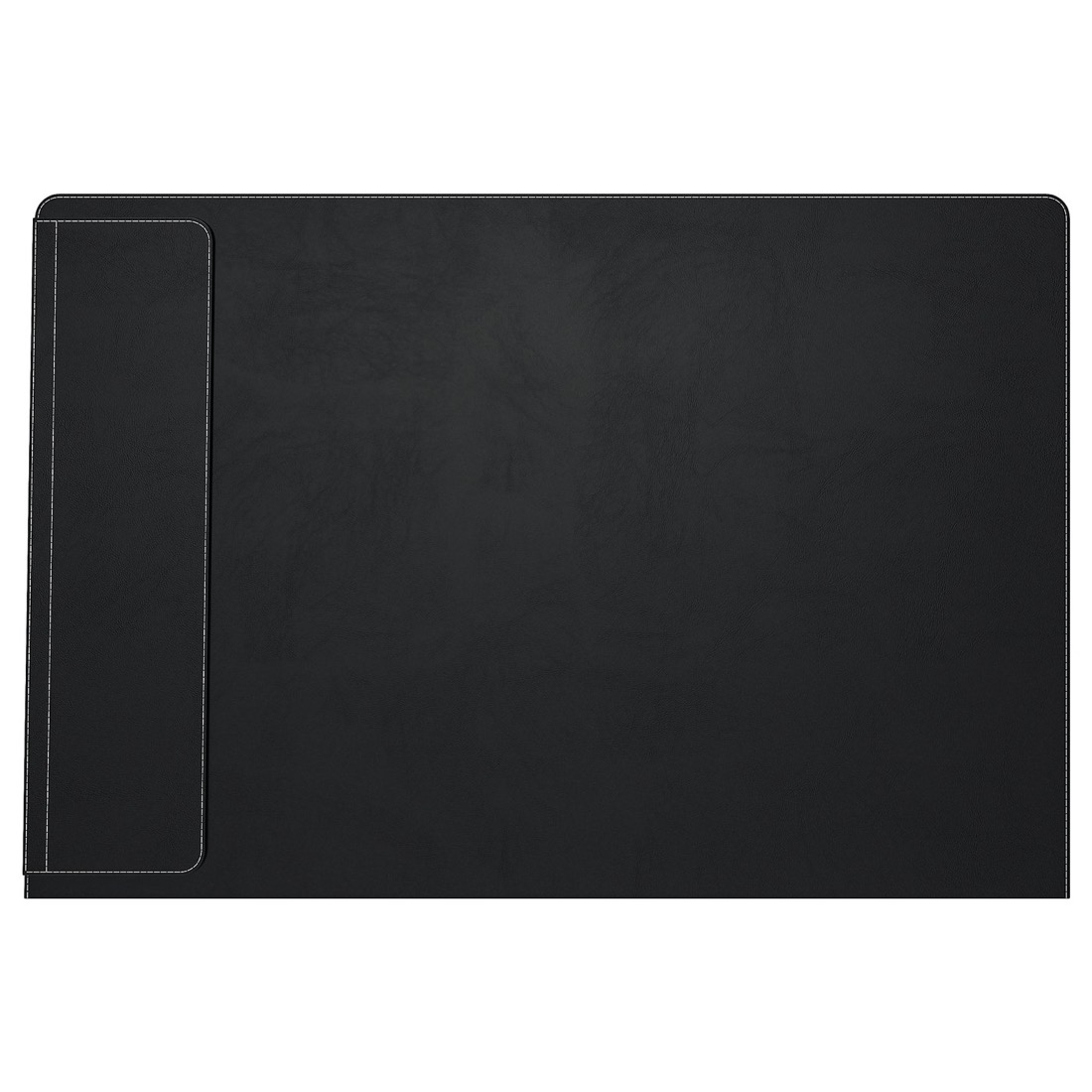
| 6 | Large Desk Pad | Defines a clean work surface | Desk surface | $ | ★★★★ 4.3 | Check price |
Detailed reviews
1. BenQ ScreenBar
Best for: Cutting eye strain without sacrificing desk space.
- Clamps to the top of your monitor — zero desk footprint
- Asymmetric optics light the desk, not the screen, so no glare
- Auto-dimming sensor matches brightness to the room
- USB-powered with adjustable colour temperature
Pros
- No glare on screen
- Frees desk space
- Genuinely reduces eye strain
Cons
- Pricier than a lamp
- Needs a flat-top monitor
2. Rain Design mStand
Best for: Laptop users who want the screen at eye level.
- Single-piece aluminium that matches a MacBook perfectly
- Raises the screen to a healthier neck angle
- Open back improves airflow and cooling
- Cable slot keeps charger and dongles tidy
Pros
- Rock-solid build
- Better posture instantly
- Looks premium
Cons
- Fixed height
- Needs external keyboard
3. VESA Monitor Arm
Best for: Dialling in screen height and reclaiming desk space.
- Gas-spring arm floats the monitor to exact eye level
- Clears the entire base of your desk underneath
- Tilts, swivels and rotates to portrait in seconds
- Standard VESA mount fits most 17–34" monitors
Pros
- Perfect screen height
- Frees up desk
- Easy repositioning
Cons
- Desk must support a clamp
- Heavier screens need a sturdy arm
4. Ergonomic Footrest
Best for: Shorter desks and anyone whose feet dangle.
- Soft memory-foam support keeps feet at a natural angle
- Encourages micro-movement to aid circulation
- Takes pressure off the back of your thighs
- Removable, washable cover for easy cleaning
Pros
- Cheap comfort upgrade
- Helps circulation
- Lightweight and portable
Cons
- Foam can compress over time
- Slides on hard floors
5. Cable Management Tray
Best for: Hiding the spaghetti of wires under your desk.
- Clamps under the desk — no drilling required
- Holds a power strip, adapters and slack cable
- Open mesh design keeps everything ventilated
- Instantly clears stray wires from your sight line
Pros
- Cheap and effective
- No tools needed
- Makes the desk look calm
Cons
- Sized for one power strip
- Clamp width is fixed
6. Large Desk Pad
Best for: A smooth, defined surface for keyboard and mouse.
- Large surface gives the mouse edge-to-edge glide
- Cushions wrists and protects the desk underneath
- Wipe-clean PU surface shrugs off coffee rings
- Side pocket keeps notes and a phone within reach
Pros
- Instantly tidier desk
- Smooth mouse tracking
- Protects the surface
Cons
- Can curl at the edges new
- Shows dust on dark colours
💡 Which accessories matter most?
If you buy just one thing, make it the BenQ ScreenBar — better lighting pays off every single session and frees your desk. Next, get your screen to eye level: laptop users want the Rain Design mStand, monitor users the VESA monitor arm. After that, the cheap wins stack up fast: a cable tray and a desk pad calm the whole setup, and a footrest rounds out the comfort for under the price of lunch.
How to choose desk accessories that actually help
There's no shortage of gadgets marketed as "productivity boosters," but the ones that genuinely make a difference all do the same thing: they remove friction. They fix your posture so you don't ache, your lighting so your eyes don't tire, and your clutter so your attention doesn't wander. Spend your money there first and skip the novelty trinkets.
Monitor height and eye strain
The single biggest ergonomic mistake is a screen that's too low. When you look down at a laptop or a monitor sitting flat on the desk, your neck tips forward and holds that load for hours. The top of the screen should sit at or just below eye level, roughly an arm's length away. A laptop stand fixes this cheaply; a monitor arm does it with millimetre precision while also reclaiming the desk space the stand would occupy. Either way, raising the screen is the highest-impact posture change you can make.
Lighting and glare
Most desks are lit from a ceiling fixture behind you, which throws reflections onto the screen, or by a desk lamp that eats space and shines glare straight at the display. A monitor light bar solves both: it clamps to the top of the screen and uses asymmetric optics to light the desk surface while keeping the screen itself glare-free. Pair a warmer colour temperature in the evening with the bar's auto-dimming and you'll notice far less eye fatigue after long sessions — the kind of low, grinding tiredness that quietly kills focus.
Circulation and comfort
If your feet don't sit flat on the floor, the front edge of the chair presses into the back of your thighs and restricts blood flow. A footrest closes that gap, lets you shift your legs through the day, and keeps your hips at a healthier angle. It's a small, inexpensive accessory that prevents the restless fidgeting that pulls you out of deep work.
Cable management and a clean surface
Clutter is a tax on attention. Every loose cable and stray object is a tiny visual distraction your brain has to filter out. An under-desk cable tray sweeps power strips and slack wire out of sight in minutes with no drilling, and a large desk pad gives your keyboard and mouse a defined home while protecting the surface underneath. The result is a desk that looks calm — and a calm desk is far easier to sit down and focus at.
What to prioritise on a budget
You don't need to buy all six at once. If money is tight, start with a laptop stand and a cable tray — together they cost very little and deliver the biggest jump in posture and tidiness. Add the monitor light bar next when you can stretch to it, since it's the accessory people most regret not buying sooner. A footrest and desk pad are the finishing touches that make the whole setup feel intentional. Buy in that order and every step earns its place before you spend on the next.
Tidy desk, tidy documents
An organised desk deserves an organised workflow. When a clean setup leaves you staring at a messy PDF — a contract to sign, a stack of scans to merge, a file too big to email — you shouldn't have to download bulky software or upload anything to a stranger's server. Handle it free in your browser with RaptorPDF: edit, sign, merge, split and compress PDFs in seconds, with no uploads and no signup. It's the same idea as a good desk accessory — remove the friction so you can get back to the work.
Frequently asked questions
What desk accessories actually boost productivity?
The ones that fix posture, lighting and clutter: a monitor light bar to cut eye strain, a laptop stand or monitor arm to raise the screen to eye level, a footrest for circulation, a cable tray to clear the desk, and a desk pad to define a clean surface. Together they reduce fatigue and distraction so you can focus longer.
Is a monitor light bar worth it?
Yes. A bar like the BenQ ScreenBar clamps to the top of your screen and lights the desk without shining glare back at the display. It frees the space a lamp would take, auto-adjusts brightness, and noticeably reduces eye strain in long evening sessions — one of the highest-impact desk upgrades you can make.
Do I need a monitor arm?
If you want your screen at true eye level, more usable desk space underneath, and the freedom to push it back or tilt it, a VESA monitor arm is well worth it. If you only use a laptop, a stand like the Rain Design mStand gives much of the same posture benefit for far less.
What's the best budget desk upgrade?
A laptop stand and a cable tray. Raising your laptop to eye level instantly improves posture, and clamping a cable tray under the desk clears every stray wire from view. Both cost little, install in minutes and make the whole setup feel calmer and more productive.
Optimised your desk? Optimise your PDFs.
Sign, merge, split and compress PDFs right in your browser with RaptorPDF — no uploads, no signup, completely free.
Open RaptorPDF →